Notes on charts, stitches and sizes
What the grid on a bead chart means, how each stitch changes it, which beads to buy and how many, and how to size a bracelet so it fits.
Reading a bead chart
A chart is a map of beads. Each cell is one bead, drawn the way it sits in the finished piece. Rows run across the chart and are numbered down the left edge; columns are numbered along the top. Every colour has a letter (A, B, C…) so a chart still reads when printed in black and white: switch on Symbols to see them.
Cells are not square. A Delica 11/0 is 1.6 mm across and 1.3 mm long, so in loom work a chart is taller than it is wide for the same number of beads. Bead Atelier draws the grid at the true proportions, which is why the finished size it reports matches what you make.
Loom, peyote and brick
Watch each stitch being worked, step by step: animated tutorials for loom weaving, even-count peyote and brick stitch from a ladder.
You can switch a pattern between stitches under Advanced in the editor. The beads stay in their cells; only how the cells sit next to each other changes, so check the shapes after switching.
Find a design in the loom bracelet patterns or the brick stitch earring patterns.
Bead sizes and finishes
Cylinder beads such as Delicas have straight walls and big holes, so they lock into a smooth, even surface. Round seed beads (rocailles) are doughnut-shaped and give a softer, pebbled texture. Smaller numbers mean bigger beads.
| Bead | Shape | Size | Hole | Per gram |
|---|---|---|---|---|
| Delica 11/0 | Cylinder | 1.6 × 1.3 mm | 0.8 mm | ≈ 200 |
| Delica 10/0 | Cylinder | 2.2 × 1.7 mm | 1.1 mm | ≈ 100 |
| Delica 8/0 | Cylinder | 3 × 2.6 mm | 1.5 mm | ≈ 36 |
| Round 11/0 | Round | 2 × 1.45 mm | 0.8 mm | ≈ 110 |
| Round 15/0 | Round | 1.5 × 1 mm | 0.6 mm | ≈ 250 |
| TOHO Round 11/0 | Round | 2.2 × 1.5 mm | 0.9 mm | ≈ 110 |
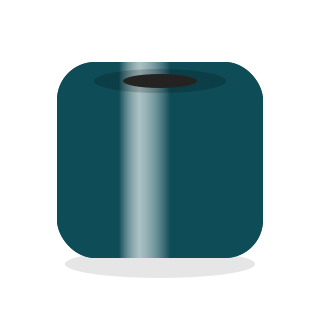 OpaqueSolid glass, glossy glaze, a crisp highlight.
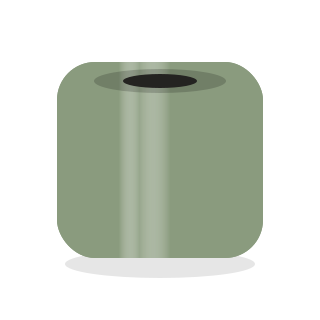 MatteEtched surface: no glare, soft and velvety.
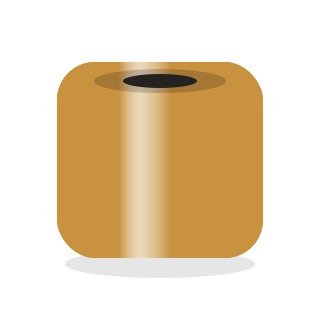 MetallicA plated look; reflections pick up the bead colour.
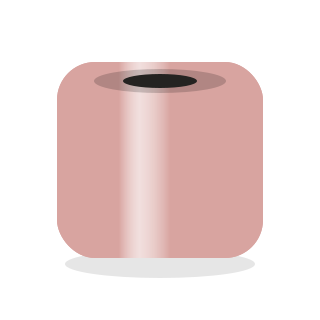 LusterA thin pearly coat; the sheen shifts with the angle.
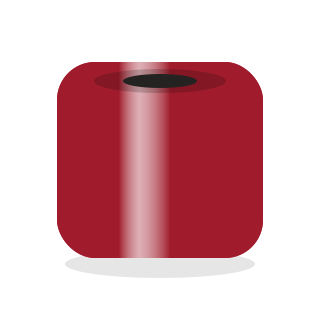 TransparentSee-through; the thread shows in the hole and colours deepen at the edges.
Browse all 261 colours in the colour library.
Sizing a bracelet
Measure your wrist snugly, then add ease: about 1–1.5 cm for a comfortable fit, plus whatever the clasp does not cover. In loom and peyote work the rows run around the wrist, so the length decides the row count.
Using the editor
The editor saves to your browser as you work: there is nothing to sign up for and no save button. Draw with the tools on the left, pick colours from the palette, and watch the 3D preview update on the right. Switch to Make at the top when you are ready to weave; it reads out one row at a time and remembers where you are.
| Keys | Action |
|---|---|
| B | Draw |
| E | Erase |
| G | Fill |
| I or Alt-click | Pick a colour from the chart |
| M | Select; drag inside a selection to move it |
| T | Add text: a name or a word |
| H or hold Space | Pan |
| L · R · D | Line, rectangle or freehand strokes |
| 1–9 | Choose a palette colour |
| Ctrl Z · Ctrl Shift Z | Undo · redo |
| Ctrl C · X · V | Copy, cut, paste a selection |
| + · − · F | Zoom in, out, fit |
| S | Show letters on beads |
| ↑ ↓ Enter | Make mode: change row, mark it done |
Tracing a picture
Add a reference image under the palette to trace over it, or choose Convert to beads to map every cell to the nearest palette colour. Fewer, well-chosen colours give cleaner results than many similar ones.
Publishing and edit links
When you publish, the pattern gets a public page and appears in the gallery. Instead of an account you receive a private edit link. It is saved in this browser under My works; anyone who has it can update or unpublish the pattern, so keep it to yourself.
Editing from another device
Open the edit link there, or download your edit links from My works and import the file on the other device.
Remixing
Every published pattern has an Open in the editor button. It opens a copy as a new draft of your own; if you publish it, the page links back to the original.